Building your own Connection image
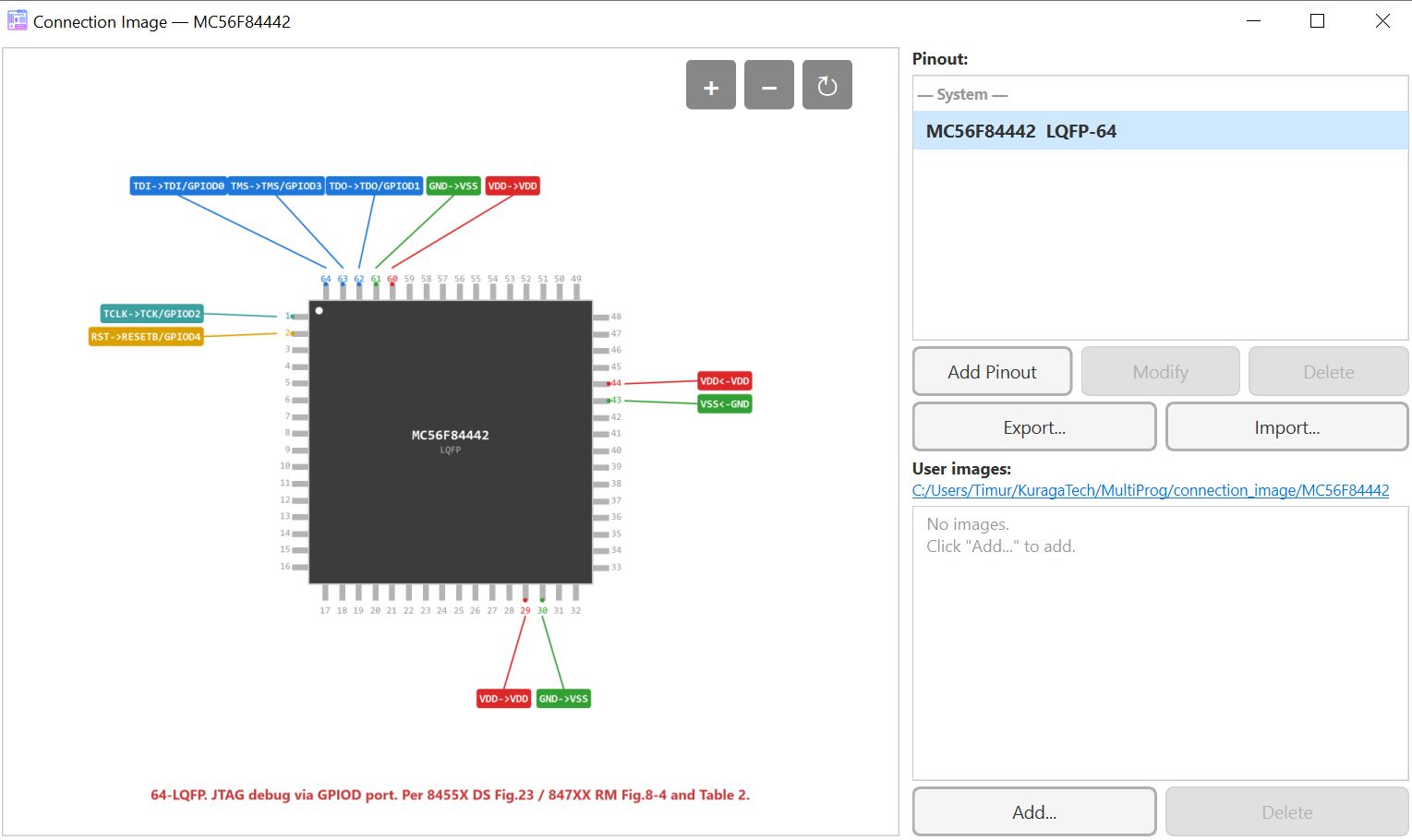
The Connection image in MultiProg (Ctrl+I or Info > Connection Image) is auto-generated from a JSON pin description that lives next
to every supported target. If your chip is already in the database
you can also override it with your own diagram — useful for fine-tuning
the layout, adding NC landmarks, or covering a fresh sub-family.
This page walks through the moving parts.
What you need
A target description has three things:
- Package — 4-sided:
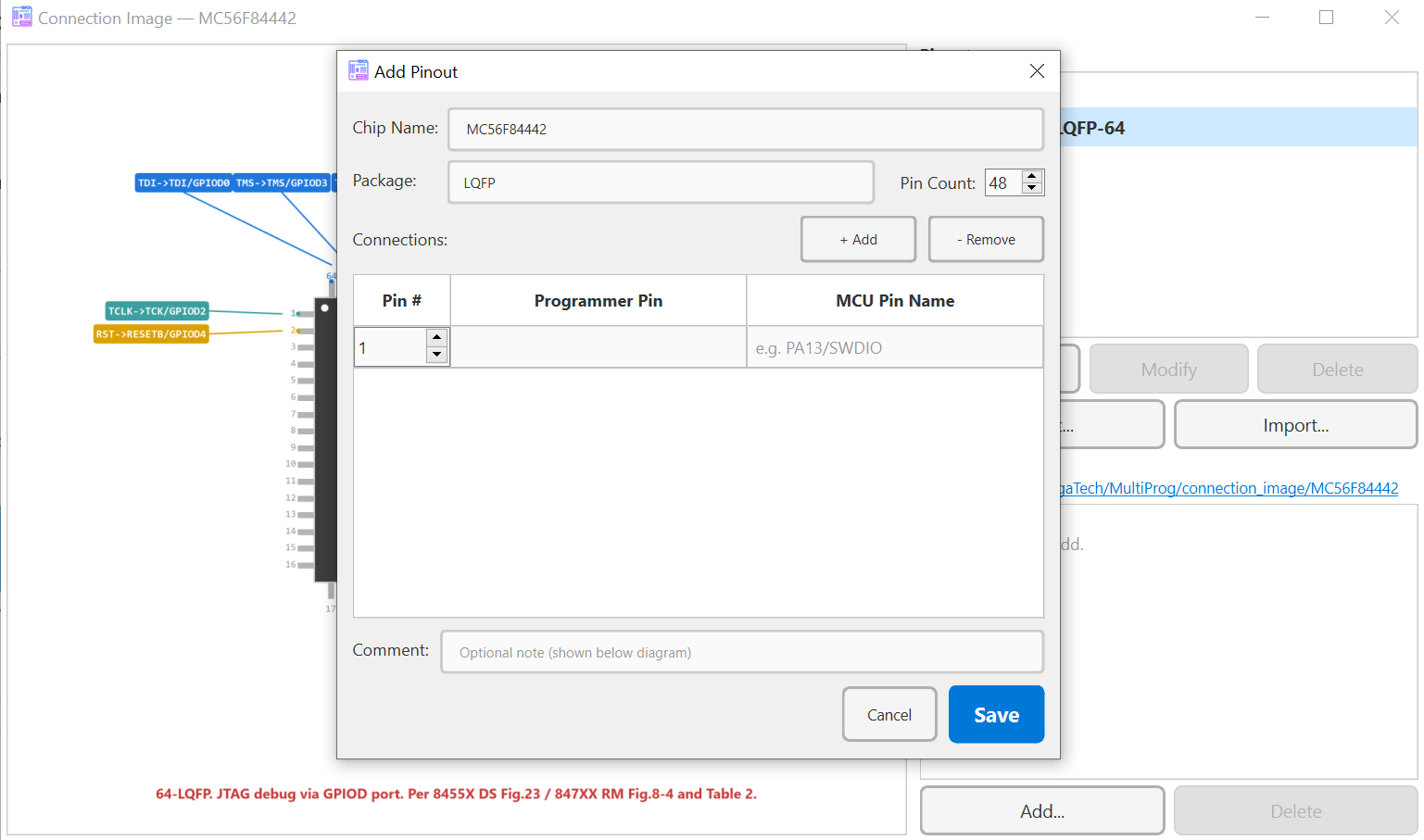
QFP,LQFP,TQFP,QFN,PQFP,PLCC; 2-sided:SOIC,SSOP,LSSOP,TSSOP,DIP; special:BGA,Connector1Row,Connector2Row,AbstractTable. Aliases recognised in JSON:HWQFN/HVQFN→QFN,LFQFP→LQFP,PSDIP→DIP. - Pin count — total pins of the package (e.g.
52for LQFP-52). connections[]— one entry per pin you want to label, listing:pin— the package pin number;mcuPin— the MCU function name (RESET,TxD6,PA13/SWDIO, …);progPin— the matching programmer pin (RESET,SWDIO,TOOL0, …).
- Optional:
comment— a short note shown next to the diagram.
The diagram is rendered automatically from this data — no PNGs to draw by hand.
Example: NEC 78K0/Kx1+, LQFP-52
{
  "vendor": "NEC",
  "prog": "TGSN",
  "family_name": "NEC_78K0_Kx1plus",

  "connection_bases": {
    "lqfp52": {
      "package": "LQFP",
      "pinCount": 52,
      "connections": [
        {"pin": 29, "mcuPin": "TxD6",  "progPin": "TOOL0"},
        {"pin": 28, "mcuPin": "RxD6",  "progPin": "RX"},
        {"pin":  3, "mcuPin": "FLMD0", "progPin": "FLMD0"},
        {"pin": 19, "mcuPin": "FLMD1", "progPin": "LOG_0"},
        {"pin":  9, "mcuPin": "RESET", "progPin": "RESET"},
        {"pin":  4, "mcuPin": "VDD",   "progPin": "VDD"},
        {"pin":  6, "mcuPin": "VSS",   "progPin": "GND"}
      ],
      "comment": "Power: 5V, LOG_1/LOG_0: connect via resistor"
    }
  },

  "devices": [
    { "base": "k0x1", "t_name": "uPD78F0123H",
      "regions": [{"name": "Flash", "start_addr": "0x0", "size": "24KB"}],
      "connectionImages": ["lqfp52"] }
  ]
}
connectionImages: ["lqfp52"] on a device pulls in the named
connection_bases entry. One device can have several images
(different packages or pinouts).
NC pins (No Connect)
Add visual landmarks for pins that exist on the package but are not routed to the programmer. They render greyed out, so the user sees the full footprint without thinking they're missing a wire.
{ "pin": 11, "mcuPin": "AVDD", "progPin": "NC" }
Programmer pin names
Use the names exposed by the programmer you're targeting. From a Lua script:
mp.target_builder.programmer_pins("tgsn")
mp.target_builder.programmer_pins("stlink")
mp.target_builder.programmer_pins("usbdm")
mp.target_builder.programmer_pins("esp")
The returned table includes power and reference sub-tables
(.power, .reference).
Where the JSON files live
- Built-in:
backend_cpp/system_targets/<family>.jsoninside the MultiProg source tree. - User-overridable: the user targets directory,
mp.target_builder.user_targets_dir()from a Lua script (typically under<config_dir>/targets/).
The user directory takes precedence — drop a file with the same family name there to override or extend the built-in description.
Editing in the GUI
You don't have to edit JSON by hand:
Ctrl+Iopens the Connection image; from there the Pinout Editor (PinoutEditorDialog) lets you drag pins, rotate the package, switch package types, and add NC landmarks.- Pinout Export / Import (Connection image dialog) writes the same JSON shape used by the system targets — so you can hand it off to someone else or move it between machines.
Building from a Lua script
For one-off targets or whole new families you can use
mp.target_builder:
local t = mp.target_builder.create({
    name = "MY_CHIP", bl_size = 1024, fixed_vdd = "3.3v",
    regions = {
        {name = "Flash", start_addr = 0x08000000, size = 65536, cell_size = 1},
    },
    connection_images = {
        {
            chip_name = "MY_CHIP", package = "LQFP", pin_count = 48,
            connections = {
                {pin = 34, mcu_pin = "PA13/SWDIO", prog_pin = "SWDIO"},
                {pin = 37, mcu_pin = "PA14/SWCLK", prog_pin = "SWCLK"},
                {pin =  7, mcu_pin = "NRST",       prog_pin = "RESET"},
                {pin =  1, mcu_pin = "VDD",        prog_pin = "VDD"},
                {pin = 23, mcu_pin = "VSS",        prog_pin = "GND"},
            },
        },
    },
})

mp.target_builder.add_to_family("MyFamily", t)
mp.target_builder.export_json("targets.json", "Vendor", "MyFamily",
                              "ST-Link", {t})
add_to_family makes the target visible immediately, without
restarting MultiProg. export_json writes a regular family JSON
that you can ship.
Coverage shipped with 2.3.0
| Family | Targets / Diagrams |
|---|---|
| M16C | 35 / 68 |
| R8C | 183 / 263 |
| RL78 | 139 devices across 8 sub-families |
| NEC 78K0/71x | full pinout coverage |
| NEC 78K0/Kx1+ | full pinout coverage |
| M32C / R32C | full pinout coverage |
| ESP | one shared diagram per family |
| TMPM370 / TMPM470 | basic connection |
| HART (m300 / i900) | basic connection |
| DSC (MC56F) | full coverage |
| HCS08 / HCS12 | full coverage |