AI Agent Integration
MultiProg provides a standard MCP server (Model Context Protocol) for external AI agents. An MCP client connects to MultiProg, receives the list of available tools, and invokes operations through the regular MCP model.
Supported clients include Claude, Cursor, GLM, opencode, and other tools that can connect to MCP servers.
Internally, the integration uses the same mp.* API surface exposed by the
in-app Script Console (see Scripting): programming, hex
buffer, file I/O, target database, checksums, and backend operations.
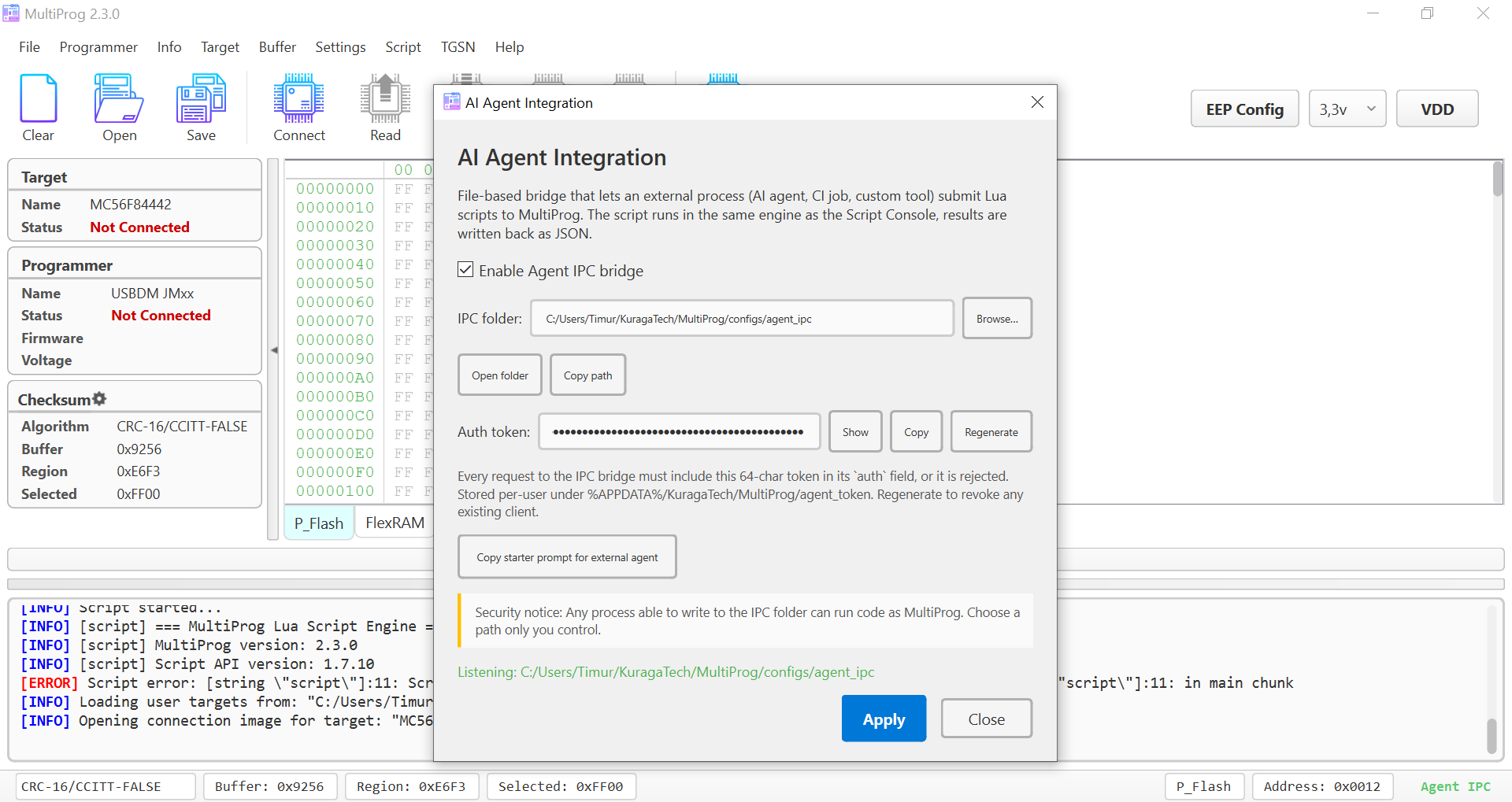
The Settings → AI Agent Integration dialog controls the AI-agent
integration: enabling the MCP server, connection parameters, auth token, and
copying a ready-made starter prompt for an external agent.
Where to find it
Settings → AI Agent Integration opens the configuration dialog. Enable the
integration, copy the starter prompt, and pass it to your AI client.
Settings dialog
- Enable Agent MCP server — master integration toggle.
- Auth token — 64-hex-character per-user token required for authorized access. Buttons: Show / Hide, Copy, Regenerate. Regeneration revokes clients still using the old token.
- Copy starter prompt for external agent — generates a ready-made briefing for the AI client: how to connect to the MultiProg MCP server, which limits to observe, and where to start API introspection.
- Apply / Close — Apply reconciles settings without restarting.
The token is stored at %APPDATA%/KuragaTech/MultiProg/agent_token
(NTFS-restricted to the current user). Treat it as a session secret: never
commit it to source and never publish it in agent replies.
Quick start
- Open
Settings → AI Agent Integration. - Enable the MultiProg MCP server.
- Click Copy starter prompt for external agent.
- Paste the prompt into an AI client connected to the MultiProg MCP server.
- Append your task and send it to the agent.
The starter prompt should help the agent:
- connect to the MultiProg MCP server;
- inspect available MCP tools and resources;
- use the
mp.*API through published MCP tools; - respect the auth token and safety limits;
- avoid modal
mp.ui.*dialogs in autonomous mode; - explicitly enable hardware writes with
mp.app.allow_hw_writes(true)for write operations.
How it relates to the in-app Script Console
- Same Lua engine, same
mp.*API surface — anything you can do in the Script Console can be invoked through MCP integration. - The Script Console runs scripts entered by the user in the GUI.
- The MCP server executes jobs submitted by an external AI agent.
- Only one script runs at a time. If the Script Console is busy, the agent request must wait for the engine to become available; the same rule applies in reverse.
Safety
An MCP client that has access to the MultiProg server and auth token can run code as MultiProg. Connect only trusted clients and do not share the token with third parties.
- The agent token is stored under
%APPDATA%, where NTFS DACLs restrict it to your user. --agent-modeblocks destructive ops by default; a script must explicitly opt in viamp.app.allow_hw_writes(true)to flash hardware.- Erase always asks the user.
mp.backend.eraseandmp.backend.erase_blocksraise a synchronous GUI confirmation modal on every call ("Script requestedmp.backend.erase()on target XXX — Allow this erase?"), even aftermp.app.allow_hw_writes(true)and even outside--agent-mode. There is no override flag. Erase wipes calibration, serial, and pairing data that may not live in your HEX, so it requires a human at the keyboard. Cancelling returns{false, "erase canceled by user"}. - Standard Lua
os.*andio.*libs are sandboxed inside the engine — scripts usemp.file.*,mp.app.list_dir,mp.app.run_processfor any filesystem or process work.
Full protocol reference
An MCP client receives the available tools and resources from the MultiProg MCP server. For the Lua API itself, see the Scripting section and API reference.
Note for users of older versions
Before 2.3.7, AI Agent integration used a file-based IPC bridge: the agent wrote JSON requests into a folder, MultiProg ran Lua, and wrote the result back. Starting with 2.3.7, the standard MultiProg MCP server is the primary integration path.