FlowMeter
The FlowMeter application is a reed switch (herkon) emulator and frequency recorder. It provides two isolated output channels and two input channels for reading, recording, and replaying low-frequency signals.
Use Cases
- Emulate a reed switch signal on a test bench (e.g., flow sensor, water meter pulse).
- Read the actual reed switch frequency from a live appliance.
- Save the recorded values and replay them later.
The outputs are galvanically isolated, polarity-independent, and safe to connect to any low-frequency signal line. The module can be used anywhere you need to read or emulate a low-frequency contact signal with isolation and session recording.
Specifications
| Parameter | Value |
|---|---|
| Frequency range | 0.1 Hz — 250 Hz |
| Frequency step | 1.0 Hz |
| Output channels | K1, K2 (isolated, polarity-independent) |
| Input channels | Line 1, Line 2 (monitoring) |
| Saved sessions | Up to 5 (non-volatile storage) |
| Polling interval | 500 ms |
Module Hardware
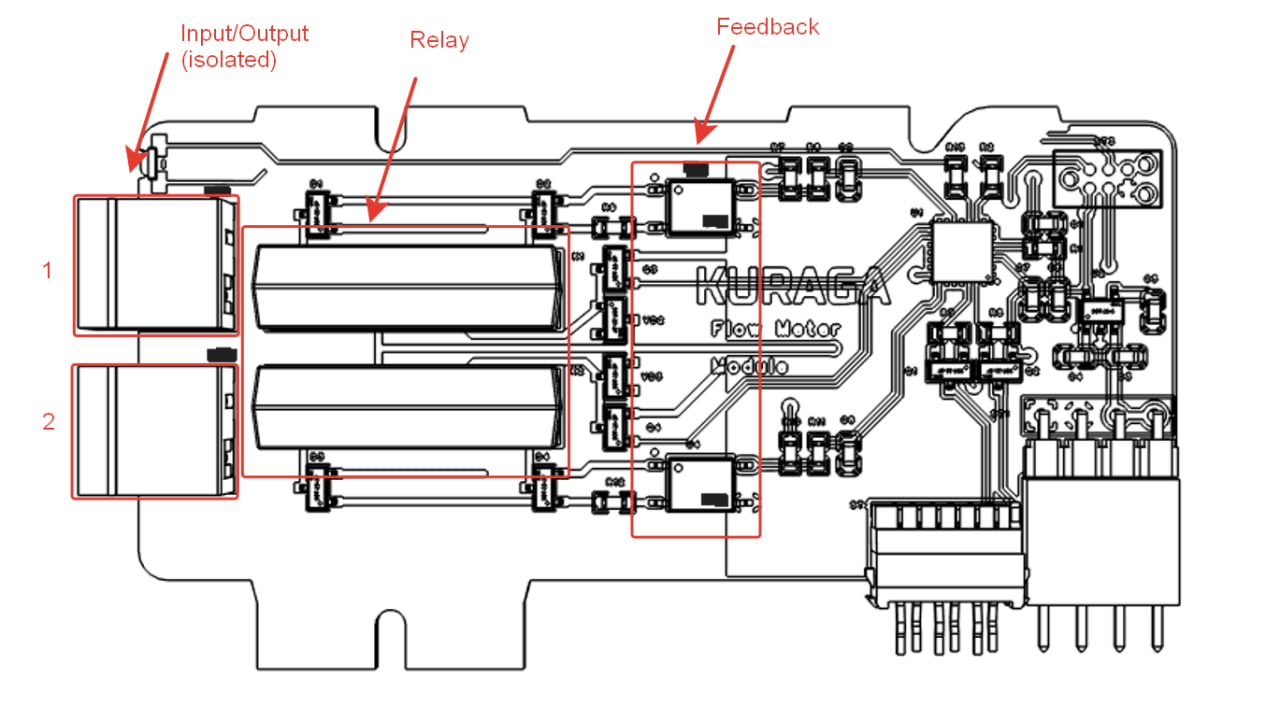
The FlowMeter submodule has two reed relays (K1 and K2) that serve as both output generators and input readers. The outputs are fully isolated from the RMT circuitry.
Interface
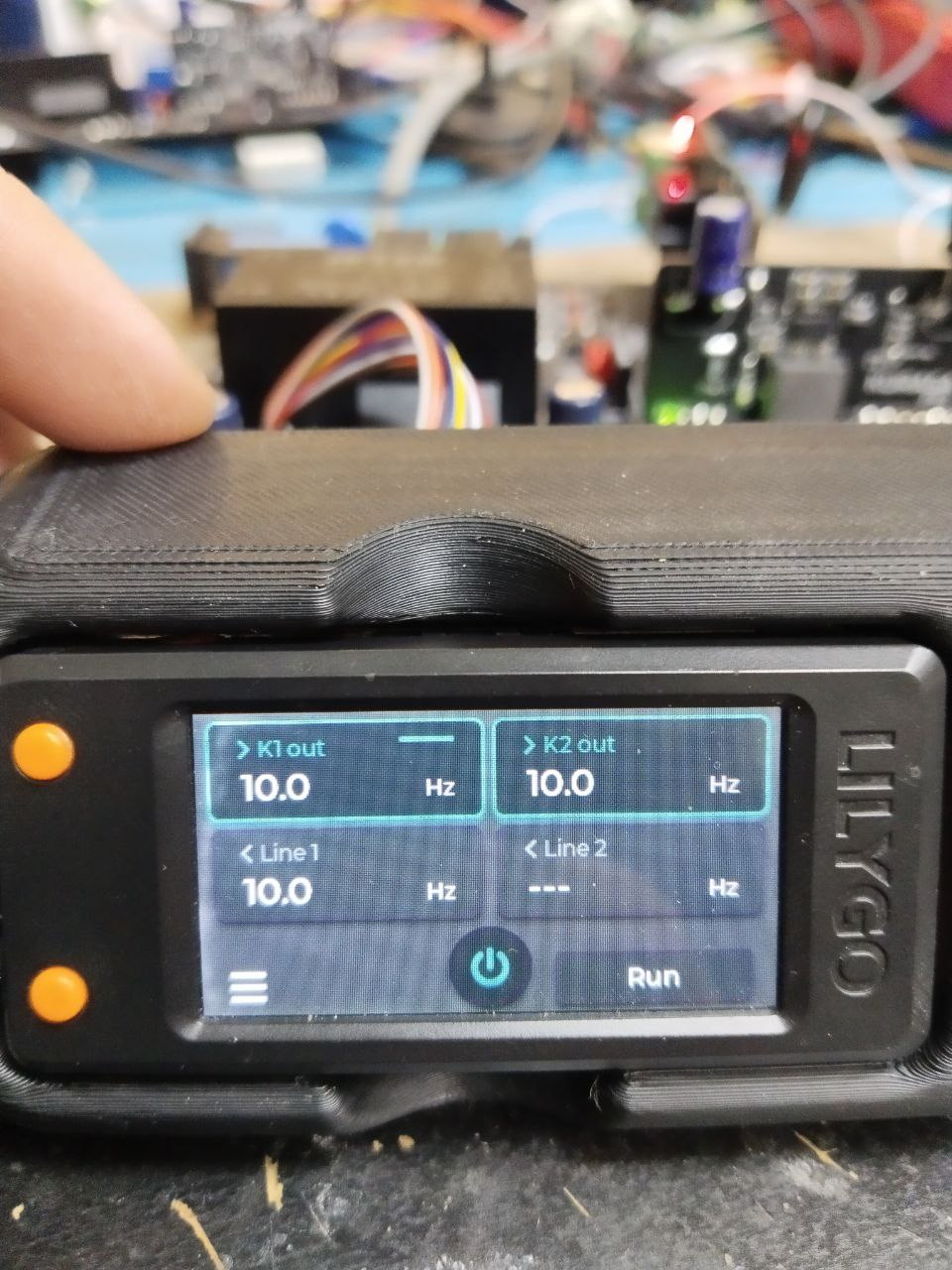
The FlowMeter screen shows four channels:
- K1 out / K2 out (top row) — output frequency for each channel. The currently selected channel is highlighted with an amber indicator bar.
- Line 1 / Line 2 (middle row) — input frequency readings. Shows "---" when no signal is detected.
- Menu (bottom-left) — opens the session management menu.
- Power button (bottom-center) — starts/stops the output.
- Status (bottom-right) — "Run" or "Stop".
Controls
| Action | When stopped | When running |
|---|---|---|
| Encoder up | Switch to previous channel | Decrease frequency (−1.0 Hz) |
| Encoder down | Switch to next channel | Increase frequency (+1.0 Hz) |
| OK | Start output / Open menu | Stop output |
| Back | Open menu | Stop + open menu |
Session Management
The FlowMeter can save and load measurement sessions:
- Save Session — saves the current Line 1 and Line 2 input readings to non-volatile memory. Up to 5 sessions are stored; when full, the oldest session is replaced.
- Load Session — select a previously saved session from the list. The saved values are loaded into K1 and K2 output frequencies for replay.
Session format: L1:XX.X L2:XX.X (frequency in Hz for each line).