Configurator
Working with the configurator using R8C as an example
R8C has no signatures that allow automatically determining the subfamily, memory sizes, and memory segmentation. Therefore, choosing the correct MCU is the user’s responsibility.
There are many targets, and each target has its own memory map (different memory regions — more details below). For this, we made a configurator so you can add the required MCU yourself.
How to add an R8C MCU to MultiProg using the configurator?
Open Target Selector, select the R8C family, and click the configurator icon.
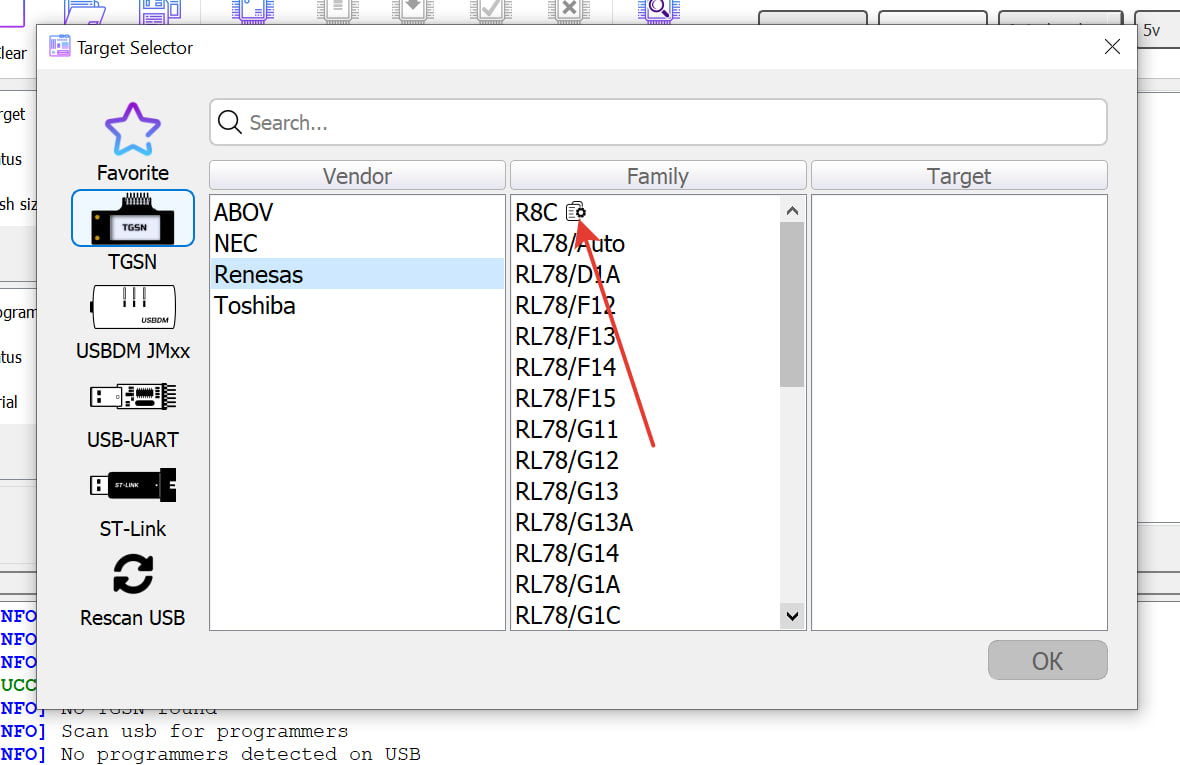
Configurator selector
You can delete and modify only the targets you created (Source->user). System targets (Source->system) can only be copied.
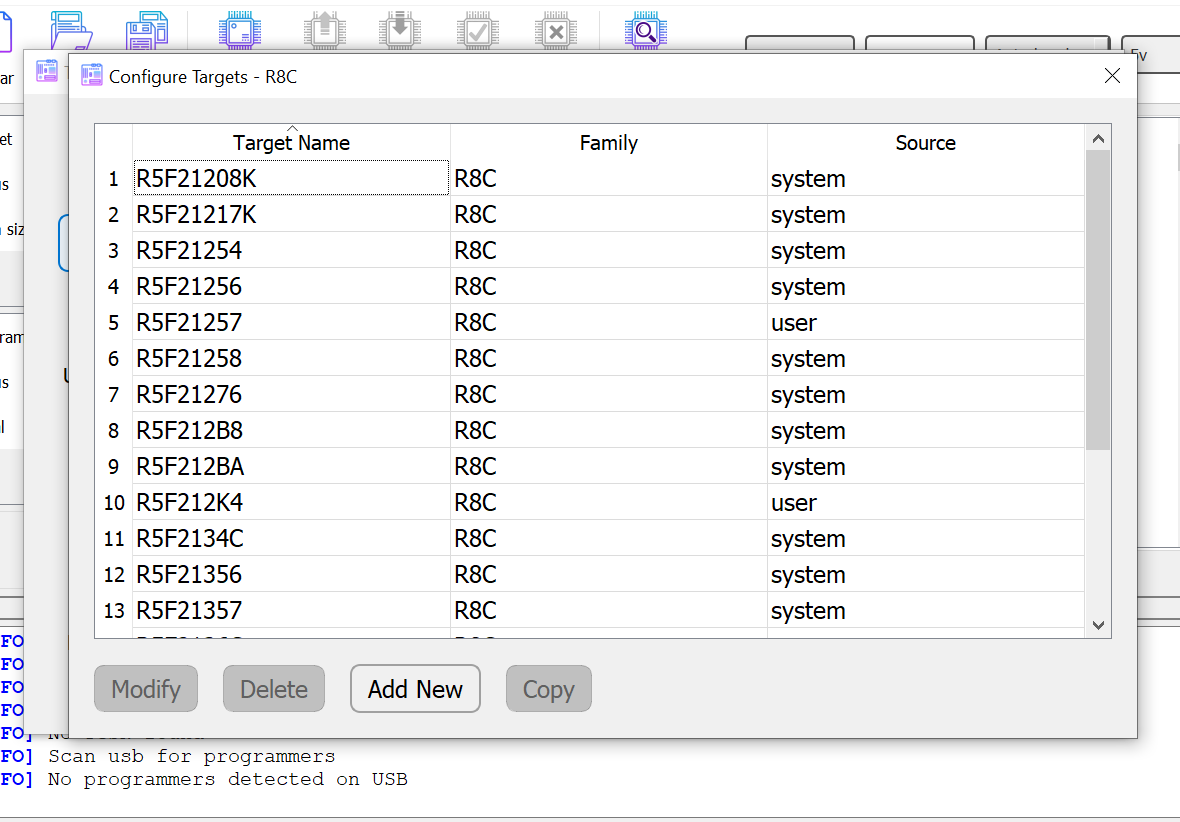
Modify - modify fields.
Delete - delete a target.
Add new - add a new target (fields are filled in arbitrarily).
Copy - copy a target.
Configurator window
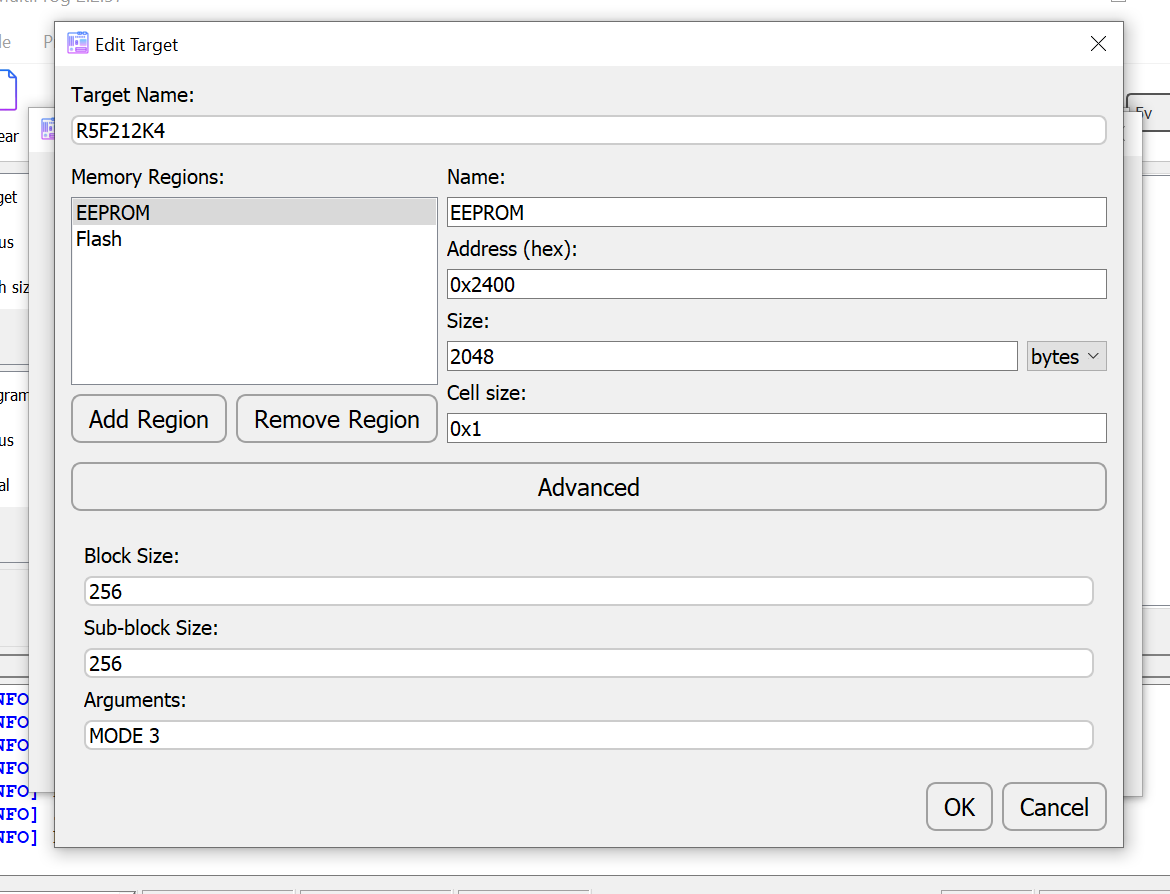
Target Name - target name. Must not duplicate an existing name in the database. Does not affect technical parameters. The program will throw an error if you try to create a target with a name that is already taken.
Memory Regions - memory regions.
Each region has:
NameRegion name, displayed in the buffer.Address (hex)Start address (in hex, i.e. with the 0x prefix).Sizesize and units (Bytes, KB, MB).
The size must be divisible by 64 with no remainder. For KB/MB, conversion uses 1024. The program will throw an error if you try to set an invalid size.
Cell sizememory cell size, default is 0x1 since in 99% of MCUs one address = one byte. But, for example, onDSC MC56Fone address corresponds to 2 bytes.
Cell size usually does not need to be edited.
Advanced
These are advanced settings.
- Block size block size in bytes.
- Sub- block size sub-block size. A block consists of 4 sub-blocks.
- Arguments arguments passed when connecting with TGSN. This is custom tuning for the task.
For normal R8C operation — an empty Arguments field or MODE 3.
Usually, arguments are used for specific tasks/operating modes; in the case of “open” R8C, arguments are not required.
Example: creating R5F21368S in the configurator
- Select any target, preferably from the 213x series, click Copy.
- Rename our new target to R5F21368S.
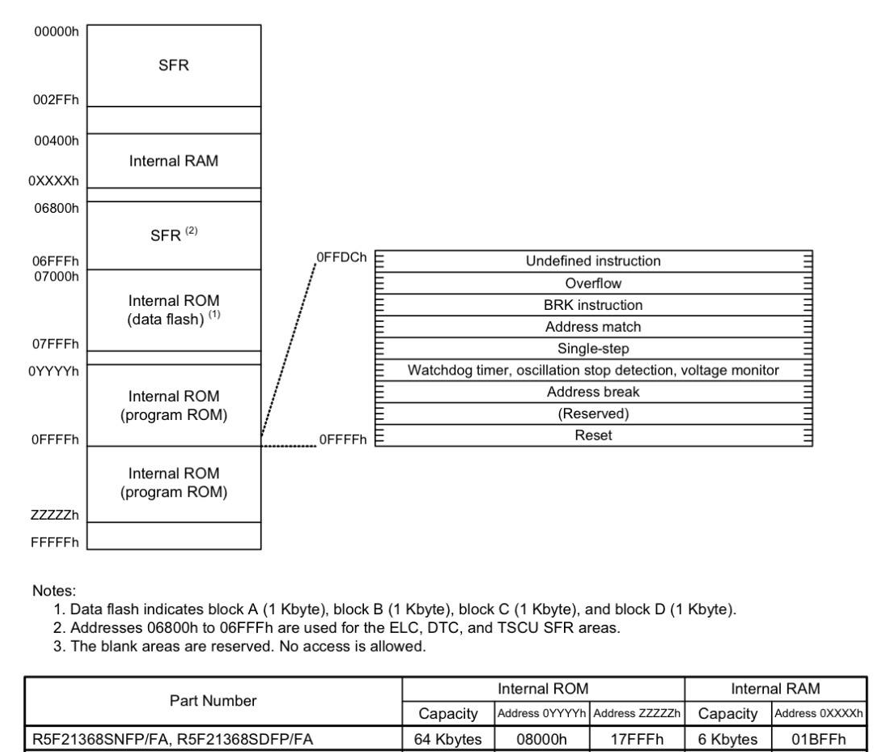
- Open the documentation, find the section with the memory map:
-
We see that the controller has 64 KB of Flash memory. Start: 0x8000.
-
Internal ROM (data flash) (EEPROM section) is located in the range 0x7000–0x7FFF. Start: 0x7000.
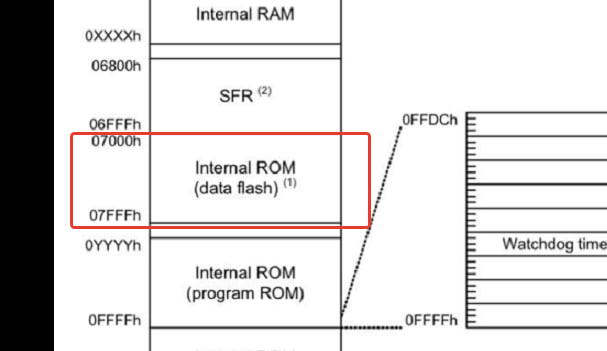
-
Calculate the EEPROM size:
(0x7FFF - 0x7000 + 1) / 1024 = 4 KB It comes out to 4 KB (4096 bytes).
- Save our configuration, select the target, and work.